If an LED luminaire flickers when dimmed, the dimmer and driver usually do not match: a phase-cut dimmer on a driver built for 0–10 V or DALI, a control signal the driver interprets differently, or a dimming level below the stable range. Other causes include interference on long control cables, ageing drivers and control loops that amplify each other. The fix almost always starts with the driver datasheet and suitable control.
Flicker, shimmer, hunting: what you see
Not every lighting problem is the same. An accurate description helps find the cause:
- Visible flicker: irregular brightness jumps, often at certain dimming levels.
- Shimmer: fast, regular brightness fluctuation that is barely visible directly but shows up during movement or as stripes through a phone camera (stroboscopic effect).
- Hunting: brightness slowly drifts up and down, typical of a badly tuned daylight control.
- Blinking or on-off cycling: the driver shuts down and restarts, for example due to overload, overtemperature or too low a signal.
The most common causes
Phase-cut dimmer on a driver without phase dimming
Leading-edge and trailing-edge dimmers cut away part of the mains voltage. That worked well with incandescent lamps, but LED drivers must be explicitly designed for phase dimming. Commercial drivers with a 0–10 V or DALI interface usually are not. If such a driver sits behind a phase dimmer, it flickers, hums or switches off. Remedy: remove the phase dimmer and dim via the intended control interface.
Control signal and driver do not match
There are differences between 1–10 V and 0–10 V too. A classic 1–10 V driver supplies the control current itself, which the controller pulls down; some 0–10 V systems expect an actively generated signal. If signal type, current or voltage range do not match, jumps or flicker occur at the low end. Applying a PWM signal to an analogue input or vice versa is also likely to cause unstable behaviour. Which interface your driver has is shown in Reading the LED driver label.
Dimming level below the stable range
Every driver has a minimum dimming level, usually given as a percentage in the datasheet. Below it, some drivers no longer regulate cleanly and the LEDs start to shimmer or flicker. If background lighting is set to a few per cent below this value, the problem appears exactly when nobody is in the room, for example in a corridor. The fix is simple: set background lighting and the minimum dimming level above the stable range.
Interference on the control cable
Analogue 0–10 V and 1–10 V cables transmit brightness as a voltage. If they are long and run parallel to mains cables, interference can couple in or voltage drop can distort the signal. This shows as slight flicker or different brightness in neighbouring luminaires. With DALI, an overloaded bus power supply or cable faults can cause dropouts.
Two control systems at once
If two controllers send commands to the same drivers, for example an old controller and a new sensor, they can overwrite each other. The light jumps back and forth between two values. Only clear responsibility helps here, see Retrofitting sensors to DALI luminaires.
Aged or overloaded drivers
Drivers age, especially at high ambient temperatures. If a luminaire also flickers at full brightness or after switching on, the driver is a candidate for replacement. The same applies if the driver is operated at the limit of its output range.
Hunting daylight control
If a daylight sensor measures part of the light from its own luminaire and the control is set too fast, brightness can oscillate. A better position, a suitable setpoint and smooth transitions help. Background in Daylight harvesting.
Taking a systematic approach
| Observation | Likely cause | First step |
|---|---|---|
| Flicker only at low dimming levels | Minimum dimming level undershot | Check datasheet, raise background level |
| Flicker and hum with a wall dimmer | Phase dimmer on an unsuitable driver | Remove dimmer, use control interface |
| Neighbouring luminaires differ in brightness | Signal loss or interference on control cable | Check cable length and routing |
| Light jumps between two values | Two control systems active | Clarify responsibility |
| Brightness drifts slowly | Daylight control oscillating | Adjust sensor position and setpoint |
| Flicker even at full load | Driver aged or faulty | Replace driver |
How proper sensor control avoids flicker
Many of these causes can be ruled out at the planning stage:
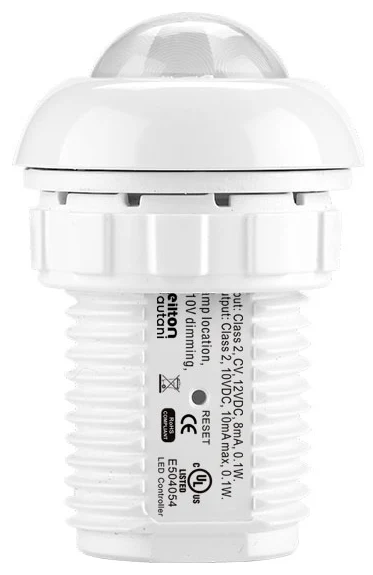
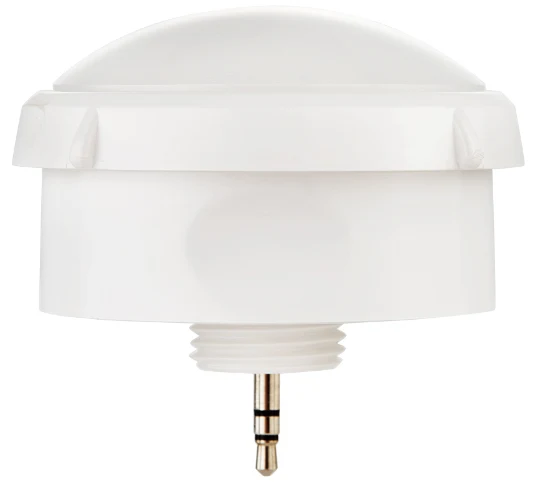
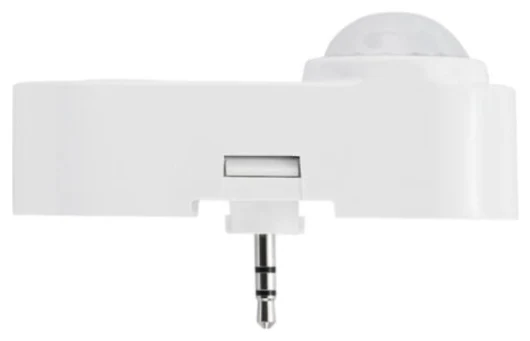
- Matching interface: sensors are matched to the driver, for 0–10 V drivers for example with sensors such as the IFS105SE or EFS106, for DALI drivers with sensors with a DALI connection.
- Short control paths: with luminaire-level lighting control the sensor sits directly in the luminaire. Long analogue control cables through the building disappear, and communication between luminaires is wireless.
- Dim-to-off instead of minimum: drivers with dim-to-off switch off cleanly instead of lingering at an unstable minimum. If the auxiliary output is missing, there are alternatives, see The 12 V auxiliary output on LED drivers.
- Sensible dimming levels: background lighting and dimming levels are set via app above the stable range and checked in the pilot installation.
- One control system: old dimmers and competing controllers are removed or clearly integrated.
This keeps the light steady while the savings still add up: as a guideline from our projects, sensors alone save more than 60 % of lighting electricity; with daylight and background lighting up to 75 % is possible.
How we can help
Our focus is retrofitting: we turn existing LED luminaires with dimmable 0-10 V or DALI drivers into smart lighting with sensors and app-based lighting management – without new luminaires and without new control cables. Details under Retrofit.
If your lighting already flickers today, we check drivers and control and take this into account when planning the sensors. Installation is usually carried out by us, or by your own electrical contractor if you prefer. Every project includes the AU-Manager, so occupancy detection, zoning and monitoring are included. Get in touch via our contact page.
Try it interactively
Sensor finder
Frequently asked questions
Why does my LED flicker when dimmed?
Usually the dimming method and driver do not match, for example a phase dimmer on a driver that is not phase-dimmable, or the dimming level is below the driver's stable minimum. Interference on long control cables, two competing control systems and ageing drivers are also possible causes.
Can a 0–10 V LED driver be used with a normal wall dimmer?
No. A phase dimmer modifies the mains voltage, while a 0–10 V driver expects a separate control signal. Unless explicitly suitable for phase dimming, the driver flickers, hums or switches off.
Why does the LED only flicker at low brightness?
Many drivers operate unstably below their minimum dimming level. You will find the value in the datasheet. Set background lighting and the lowest dimming level above it, or use dim-to-off to switch off.
Are there limits for LED flicker?
Ecodesign Regulation (EU) 2019/2020 limits flicker (PstLM ≤ 1.0) and the stroboscopic effect (SVM ≤ 0.4 since September 2024) for mains-powered LED light sources, in each case at full load. There is no requirement for the dimmed state.
Can an old LED driver flicker?
Yes. Drivers age, especially at high temperatures. If the luminaire also flickers at full brightness, the driver should be checked and replaced if necessary.