If the lights in your office keep switching off while people are sitting at their desks, the cause is almost always one of a few things: a motion detector has been installed instead of a presence detector, the sensor is in the wrong place, the time delay is set too short, or the workstation sits in a blind spot of the PIR sensor. The fix is rarely a room full of new equipment. It is usually a suitable presence sensor, a better position and a properly set time delay – ideally with background lighting instead of switching off completely. This guide shows how to narrow down the cause and also covers the opposite problem: the sensor never switches the lights off.
Why the lights switch off although someone is there
A sensor switches off when it detects no movement for the duration of its time delay. To a sensor, a person reading or typing quietly can look very similar to an empty room. Whether it still detects that person depends on the device type, position, detection area and settings.
Motion detector instead of presence detector
The most common cause is the wrong type of device. A motion detector is designed for clear movements such as people walking along a corridor. A presence detector has more finely segmented optics and more sensitive evaluation, so it also detects small movements at a desk. Offices, meeting rooms and anywhere people sit for long periods need a presence detector. The details are explained in Presence vs. motion detectors.
The sensor is in the wrong place
Sensors are often mounted wherever a cable happened to be: above the door, in the circulation zone of the room or in a corner. Everyone entering the room is detected, but not the desk by the window. Typical mistakes:
- Sensor above the entrance: it covers the door and the aisle, while the desks are at the edge of the field or outside it.
- Room too deep: one sensor is expected to cover an entire open-plan office, and the outer desks lie beyond the area in which small movements are detected.
- Obstacles: cabinets, acoustic panels, desk partitions, pendant luminaires or large monitors block the view. A PIR sensor cannot see through objects.
- Wrong mounting height: if the sensor is mounted well above the height in the data sheet, its detection area for small movements shrinks.
How to position sensors so every workstation is covered from the start is explained in Planning occupancy sensors.
PIR blind spots: direction of movement matters
Passive infrared (PIR) sensors divide their field of view into zones via the lens and react when a heat source moves from one zone to the next. Movement across the sensor is detected well, movement directly towards or away from it less so. At a desk, mostly hands, head and upper body move – small movements that may stay within a single zone if the geometry is unfavourable. There are also areas of lower sensitivity between zones and at the edge of the detection field.
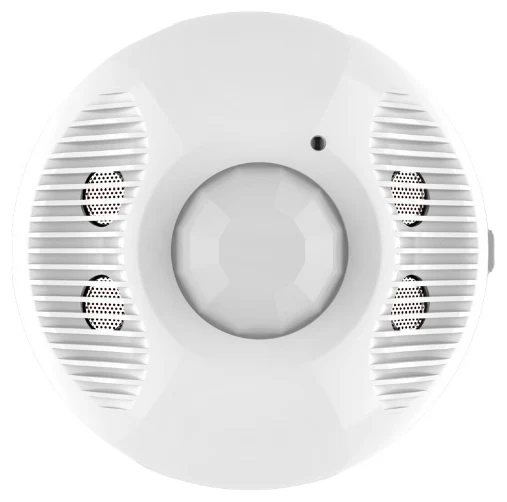
The remedies are a sensor directly above or close to the workstation, overlapping detection fields from neighbouring sensors, or a second technology. According to its data sheet, the EFS107E dual-tech ceiling sensor combines PIR and ultrasonic detection and is designed for rooms up to 56 m². Ultrasonic detection also picks up movements that a PIR sensor alone may miss. For an overview of the technologies, see PIR, ultrasonic, microwave.
The time delay is too short
Some detectors are set to very short time delays at the factory or to save energy. That makes sense in corridors, not in offices. As practical guide values, motion detectors in circulation areas typically use around 1 to 5 minutes and presence detectors at workstations around 5 to 20 minutes. Use and room size are what count. Too long a delay wastes energy, too short a delay costs acceptance – and then sensors get taped over or set to permanent on.
The lights switch off because of daylight
Not every switch-off is a fault. Presence detectors with light measurement can dim or switch off artificial light when there is enough daylight. If the brightness threshold is set too low or the sensor measures in an unfavourable spot, for example right next to the window, it switches off although the desk is too dark. On-site calibration helps. More in Daylight harvesting.
Diagnosis: symptom, cause, remedy
| Symptom | Likely cause | Remedy |
|---|---|---|
| Lights switch off after a few minutes of quiet work | Motion detector instead of presence detector, short delay | Use a presence detector, adjust the delay |
| Only certain desks regularly end up in the dark | Desk outside the detection field or obscured | Move the sensor, add a sensor |
| Lights switch off although the desk is too dark | Brightness threshold or measuring point unfavourable | Calibrate the light sensor, check the measuring point |
| In an open-plan office one group switches off, the next stays on | Groups not linked | Link the zones, background lighting for neighbouring zones |
The opposite problem: the sensor never switches off
The reverse complaint is just as common: the lights burn in an empty room in the evening. Typical causes:
- Long time delay: if the delay has been increased after every complaint, the lights stay on for a long time after anyone walks past.
- Interference in the detection field: warm air from radiators, ventilation outlets or equipment, and curtains or plants moving in a draught can trigger a PIR sensor.
- Detection through the door: if the sensor sees through an open door into the corridor, every passer-by keeps the lights on in the room.
- Sensitivity too high: with microwave sensors, excessive sensitivity can lead to movements behind thin walls being detected.
- Permanent on: a push button or operating mode keeps the lights on regardless of the sensor.
- Fault or wiring error: if the lights stay on without any movement at all, there may be a technical fault. This should be checked by a qualified electrician.
Solutions that last
One presence sensor per luminaire instead of one per room
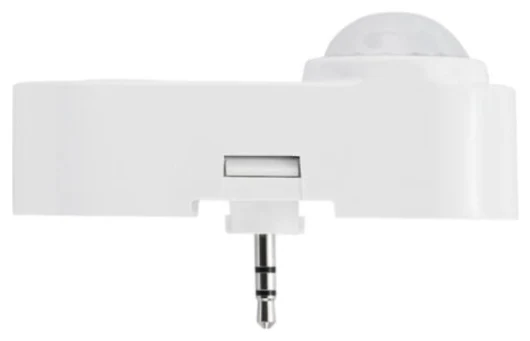
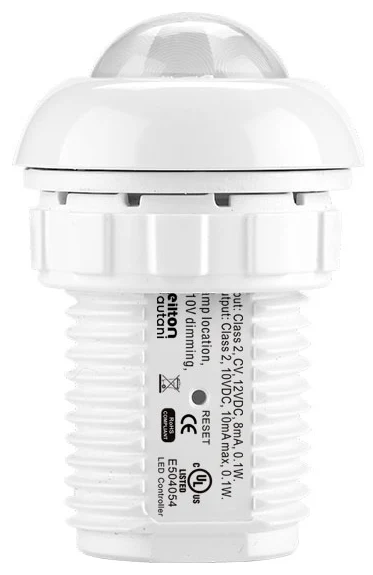
With luminaire level lighting control, every luminaire has its own sensor. Each workstation sits under a nearby sensor, and the sensors in a room are linked wirelessly into a group. As long as one of them detects presence, the group stays on. For panel and troffer luminaires the compact IFS108 is suitable according to its data sheet (up to approx. 6 m mounting height); for other luminaires the IFS105SE (up to approx. 5.5 m). Both need a dimmable dim-to-off driver; for the IFS105SE the data sheet also specifies a 12 V AUX output. Where nothing should change at the luminaire, the battery-powered BCS107 ceiling sensor is an option. More in Luminaire level lighting control.
Background lighting instead of darkness
Even perfectly set presence detection occasionally gets it wrong. If the lights then dim to a background level instead of switching off, hardly anyone notices, and the slightest movement brings full light back.
Add manual control
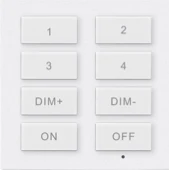
A wall switch such as the battery-powered WP108E offers scenes, dimming and ON-AUTO/OFF according to its data sheet, without running any cables. In absence mode, users switch the lights on themselves and the sensor switches them off after they leave. In rooms with plenty of daylight this saves additional energy.
Fine-tune with data
Via the AU-Manager, all sensors deliver occupancy data. You can see in which zones the lights switch off and back on unusually often or stay on overnight, and adjust time delays in a targeted way instead of on request. You can try out how a room behaves with different settings in the room simulator.
What the right solution delivers
Lighting control that detects reliably does not get bypassed – and only then does it save energy. As a guide value from our projects, sensors alone save more than 60 %; with daylight control and networked control, the savings potential is up to 75 %. For an estimate for your premises, use the savings calculator.
How we can help
Our focus is retrofitting: we turn existing LED luminaires with dimmable 0-10 V or DALI drivers into smart lighting using sensors and app-based lighting management – without new luminaires and without new control cables. Details under Retrofit.
We check your existing detectors and luminaires, find the cause of the switch-offs and plan sensors so every workstation is reliably covered. Installation is usually carried out by us, or by your own electrical contractor if you prefer. Every project includes the AU-Manager, so occupancy detection, zoning and monitoring are included from the start. Get in touch via our contact page.
Try it interactively
Room simulator
Frequently asked questions
Why do the office lights turn off while I am sitting at my desk?
Usually a motion detector has been installed instead of a presence detector, the desk is outside the detection field, or the time delay is too short. Only a presence detector in a suitable position reliably detects quiet movements such as typing.
What time delay makes sense in an office?
As a practical guide value, presence detectors at workstations use around 5 to 20 minutes and motion detectors in corridors around 1 to 5 minutes. Use and room size are decisive. With background lighting instead of switching off, the delay can be shorter.
Can I increase the sensitivity of a motion detector?
On many devices, yes, but that does not solve the underlying problem if the detector is designed for walking movements or the desk is outside its field. Higher sensitivity also increases the risk of false triggers.
Why does the motion sensor not switch the lights off?
Common reasons are long time delays, interference such as warm air or moving curtains, detection through an open door into the corridor, a permanent-on setting or a technical fault that a qualified electrician should check.
Is one sensor per room or one sensor per luminaire better?
One sensor per luminaire covers every workstation at close range, and the networked sensors keep the room on together as long as one detects presence. This significantly reduces unwanted switch-offs compared with a single detector.